For iPhone · Built around Apple Health

Your day holds clues to your night.

Coffee, naps, a late dinner. Which habits go with better sleep for you? Sleep Debug connects your daily life with your nights, with learning that stays on your iPhone.

iOS 26 or later. No account. Apple Intelligence optional.

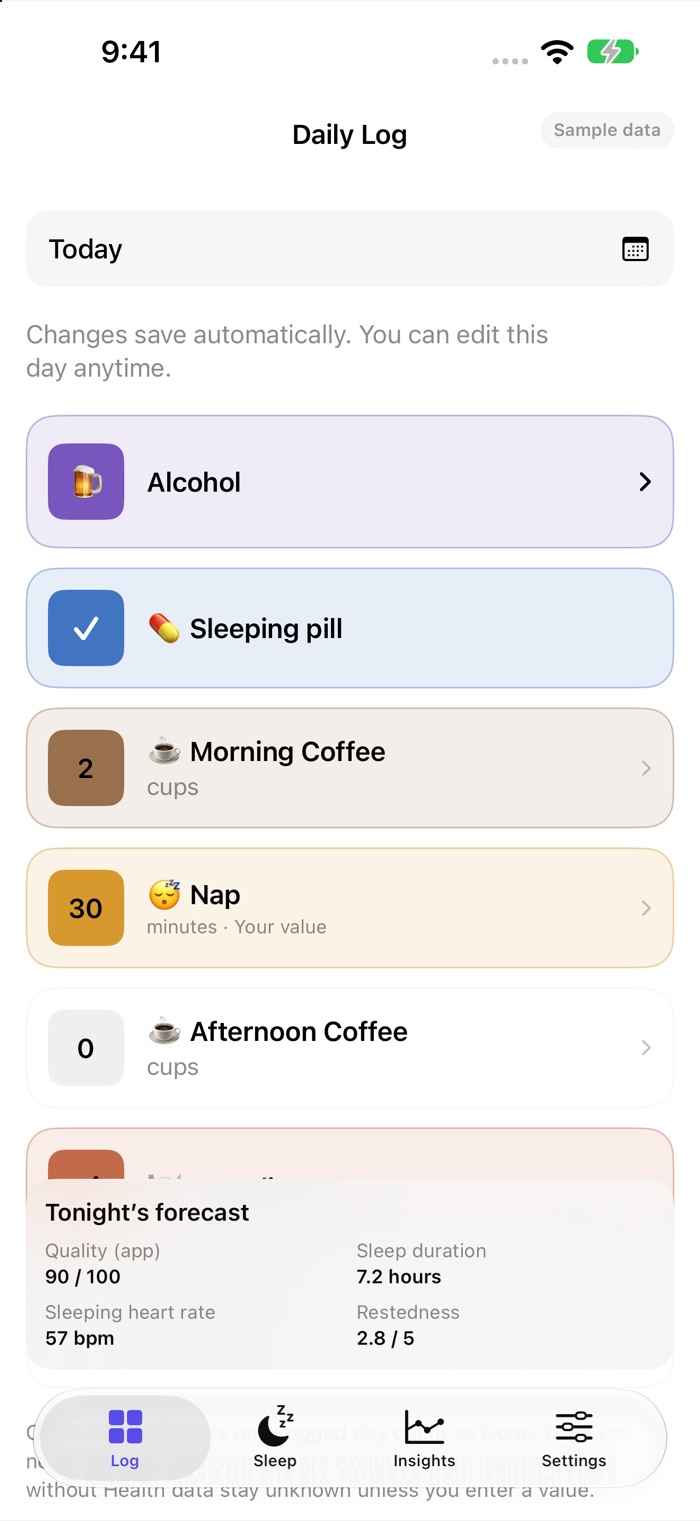
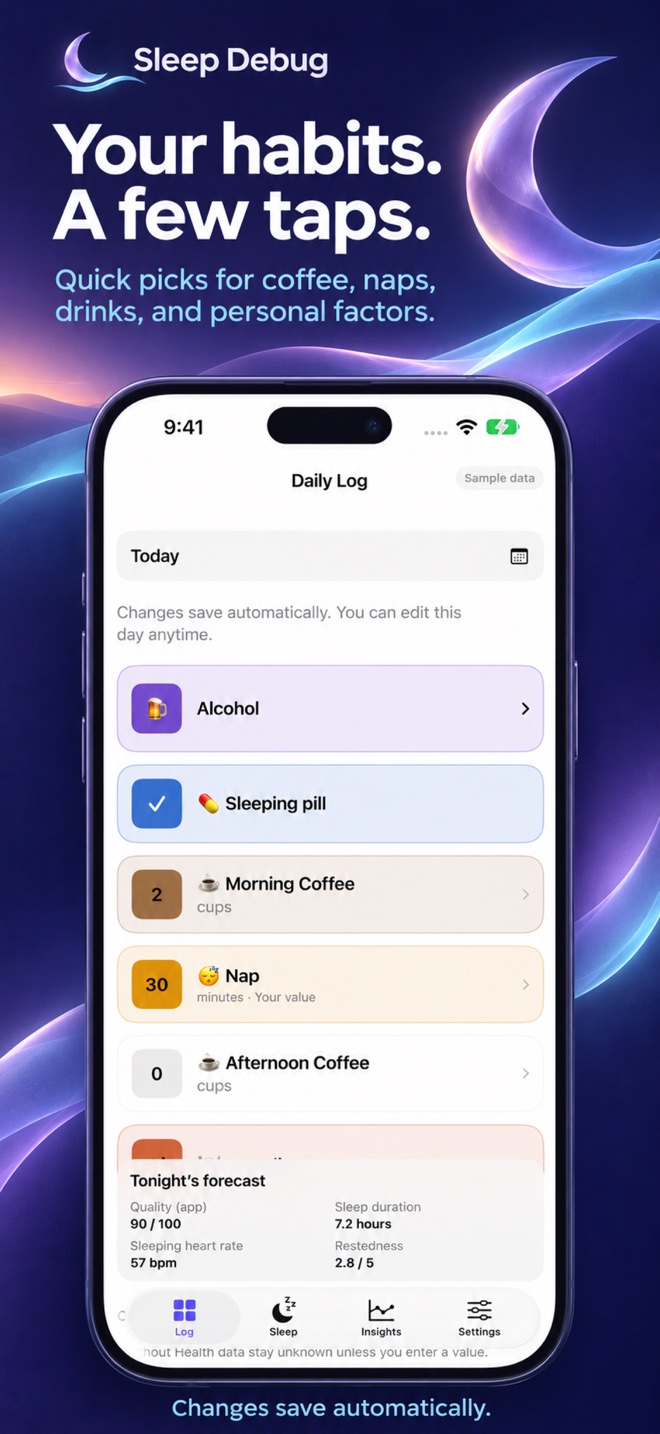
Sleep Debug Daily Log with quick entries for coffee, a nap, and personal factors, plus an example sleep forecast.
Actual app screen. Fictional sample data.

A small daily habit. A clearer picture.

Less guessing.
More understanding.

A few taps to log your day. Sleep records from Health. One place to explore how the pieces fit together.

  • ☕ Morning coffee
  • 😴 Nap
  • 🍺 Alcohol
  • ✈️ Flight
  • 💊 Sleeping pill
  • 🍽️ Late dinner
  • + Your own factors

Screens show fictional sample data. Tap an image to view it larger. Personal forecasts appear only after sufficient usable history and validation.

Fits into your day

Log a little.
Learn over time.

  1. Choose what matters to you.

    Start with Alcohol, Nap, Flight, or coffee, or create your own factors. Alcohol groups drink types together; a nap factor can prefill minutes detected in Health, with your corrections preserved.

  2. A few taps before bed.

    Pick an evening reminder time and use quick amounts to log your day. Entries save as you go. Optional steps and workouts can come from Health, and past days remain editable.

  3. Let your nights add context.

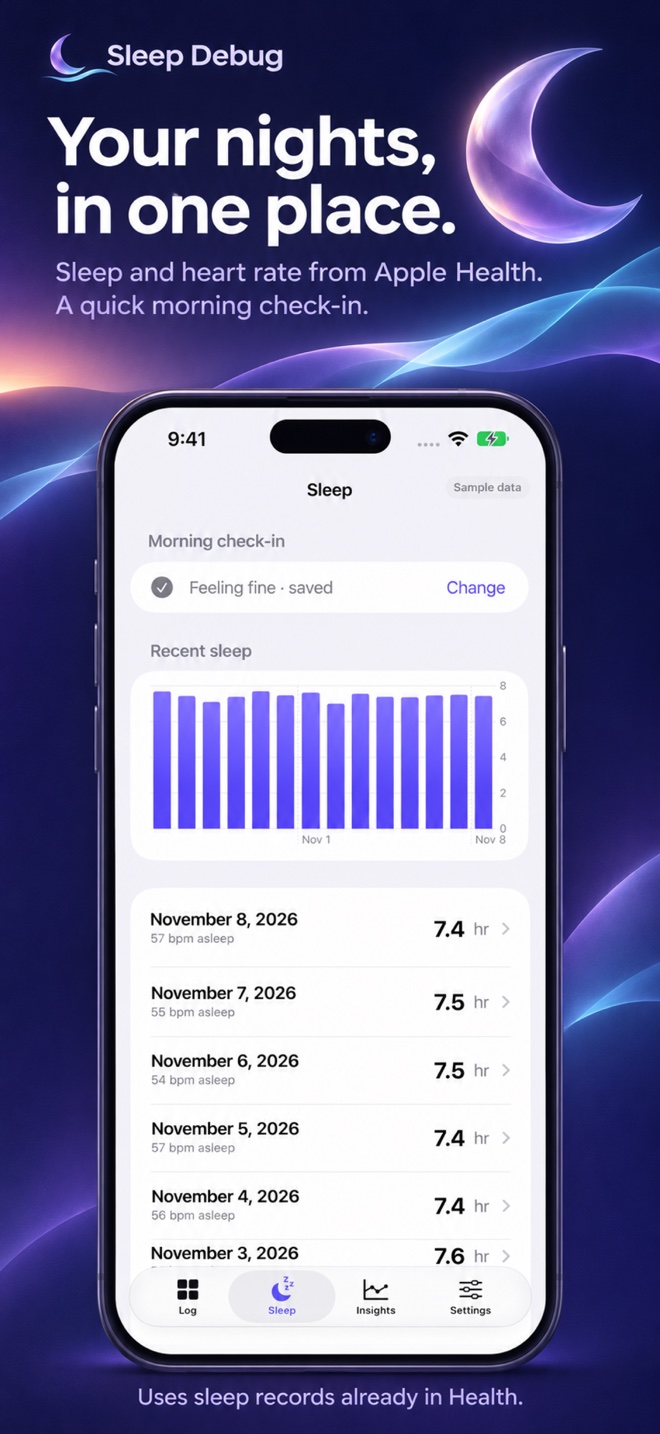
    As records become available in Apple Health, Sleep Debug imports sleep measurements and compares them with the preceding day. An optional morning reminder captures how rested you feel.

With or without Apple Intelligence

Two ways to forecast.
Your choice, on your iPhone.

Statistical forecasting is the default on every supported iPhone running iOS 26 or later. On compatible phones, you can also evaluate experimental forecasts generated by Apple Intelligence.

Without Apple Intelligence

Your logged factors are paired with the following night’s sleep. A statistical model called ridge regression runs on your iPhone, estimating relationships between factors and outcomes while considering your habits together.

  • Log factors, import available Health measurements, and use evening and morning reminders.
  • See associations and standard descriptions generated directly from the statistics.
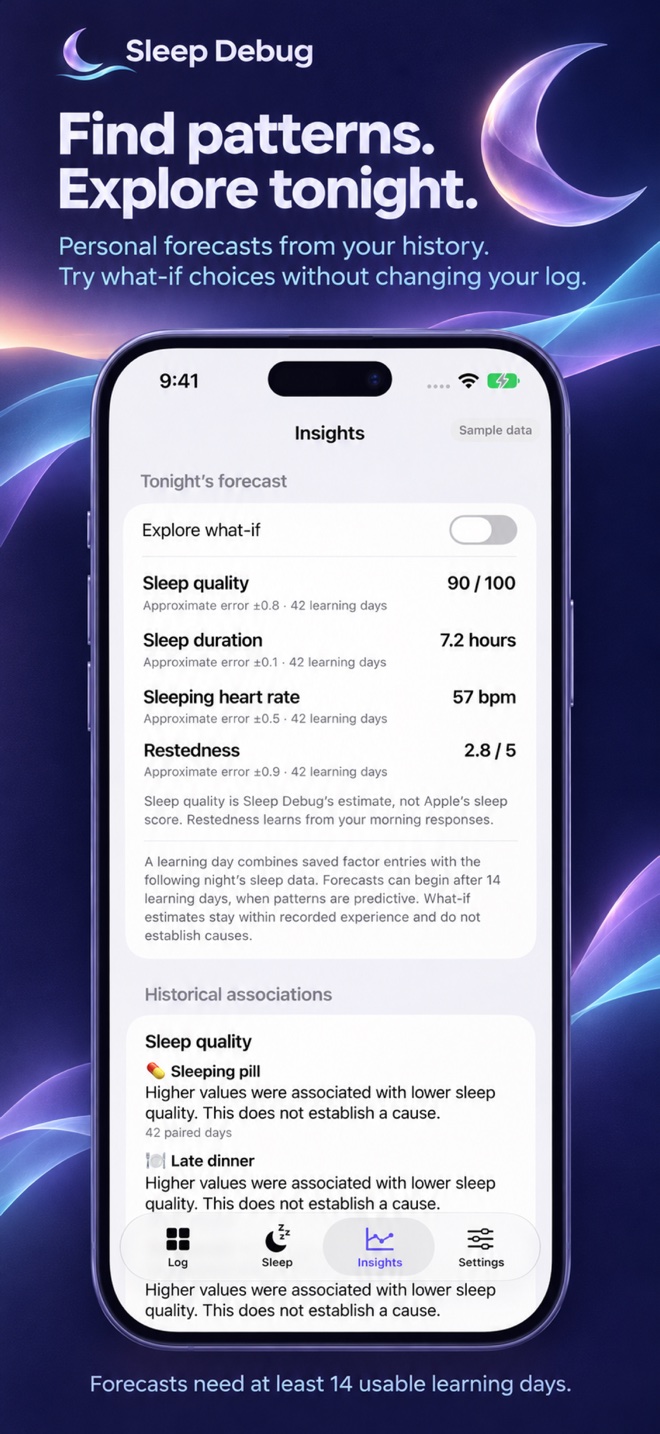
  • When enough evidence is available, get numerical forecasts and explore what-if scenarios for sleep duration, sleeping heart rate, the app’s sleep-quality estimate, and morning restedness.

With Apple Intelligence

In Settings → Learning & forecasts, turn on Forecast with Apple Intelligence to try a different numerical forecasting method. Your iPhone must support Apple Intelligence, with it enabled and its on-device model available.

  • The language model infers its own numerical prediction from anonymous historical observations and today’s scenario. Switching the toggle recalculates the forecast and what-if results using your chosen method.
  • It receives unique factor IDs, normalized numerical history and current values, full-history correlations, and sleep-outcome identifiers. Factor names, emojis, units, exact event times, and the ID-to-name mapping stay out of every request.
  • AI forecasting is experimental and its accuracy is not yet backtested. It runs entirely on your iPhone, with no cloud fallback. Written AI explanations of statistical results remain a separate optional setting.

Different methods, clearly labeled. The normal statistical model fits your history and checks forecasts against later observed nights. The experimental AI method makes its own predictions; it does not rewrite the statistical forecast. Both require at least 14 usable learning days, sufficient factor variation, and inputs within recorded experience. AI predictions do not have a backtested error range or the statistical model’s baseline-improvement guarantee.

AI requests include up to 256 evenly spaced historical samples, reduced when needed to fit the on-device context, plus numerical correlations across all usable history. The app shows the actual sampled and usable-day counts. Invalid or out-of-range AI replies are rejected, with options to retry or switch methods; a statistical forecast is never silently relabeled as AI.

Tonight’s Forecast shows the selected method and can appear even before you log anything that day, using None for unentered manual factors once sufficient usable history is available. This preview does not create a daily log; untouched past days remain excluded from training. Historical associations always use statistics. Read more in Settings → How learning works, including the actual AI prompts, or see our privacy policy.

Personal factors. Private by design.

Your habits stay yours.

Some things you track are personal. Sleep Debug is built to help you understand them without sending your journal to a developer server.

Read the full privacy policy
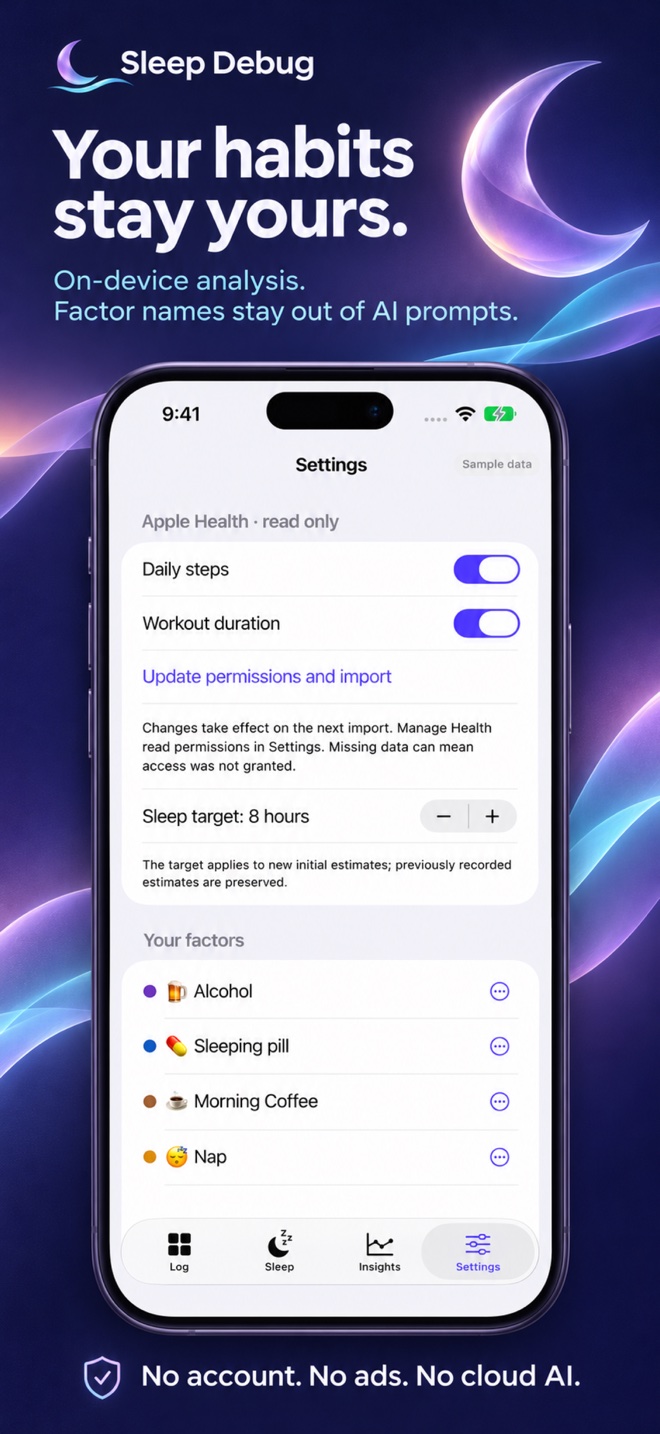
  • Learning happens on your iPhone.

    Statistical analysis, forecasts, and what-if tools run locally. They work without Apple Intelligence.

  • Factor names stay out of AI prompts.

    Optional on-device Apple Intelligence can explain statistical findings or generate experimental numerical forecasts using unique IDs instead of your factor names. The ID-to-name mapping stays inside the app. There is no cloud AI fallback.

  • You stay in control.

    Health access is read-only. Factor entries are never written to Health. Edit or delete records, enable an app lock, or reset your data in Settings. Local records may be included in your normal device backups.

A learning period, not a magic answer

Patterns need a little history.

Insights shows your learning progress and an estimated date based on daily input, with clearly labeled sample insights while you get started.

Health imports look back 180 days. Analysis uses all eligible saved history, so your older observations can keep contributing as your journal grows.

14usable learning days to become eligible

A learning day pairs your logged factors with the following night’s sleep. Both methods need sufficient variation and usable measurements. Normal statistical forecasts must also improve on your historical average in validation; experimental AI forecasts are not yet backtested. Forecasts aren’t guaranteed on day 14.

Support

Questions, feedback, or a bug?
Email kris@linquist.com.

Include your iOS version, app version, and what happened. Please avoid sending sensitive health records or personal factor details unless you choose to share them.

Why hasn’t my sleep appeared yet?

Sleep records can arrive after your Watch syncs or you unlock your iPhone. Check the app’s Health permissions, then open Sleep Debug to retry. In Settings, “Update permissions and import” reconnects the requested measurements. Health access is read-only. A missing measurement can mean that no record is available or access wasn’t granted.

When do predictions start?

A learning day combines saved factor entries with the following night’s sleep. Changes save automatically, and days stay editable. Days you never log stay unknown rather than being assumed to contain zero activity. Predictions become eligible after at least 14 usable learning days with enough variation. The default statistical method must improve on your historical average in validation; the experimental Apple Intelligence method generates independent predictions without that backtested accuracy requirement. They aren’t guaranteed on day 14. Each outcome may have a different usable count. Eligible forecasts update as you log today’s factors and can also use a zero-activity scenario before you enter anything today. This preview does not save a log or assume untouched past days contained zero activity.

Health imports look back 180 days. Analysis uses all eligible saved history, including records older than that import window. Newly added factors and missing measurements can reduce the history usable for a particular forecast. Read “How learning works” in Settings for the full explanation and the actual local-model prompts.

Can I correct a past day?

In Daily Log, tap Today, Yesterday, or the date to choose a day. Change any value directly; valid amounts save automatically, with no finish or unlock step. Create and manage factors in Settings. Every count or amount offers None to record zero.

How do naps and Alcohol work?

A factor linked to Apple Health nap duration can prefill detected nap minutes. Detection is conservative, and your manual corrections are preserved. Alcohol groups drink types together and estimates pure alcohol and beverage sugar using editable serving assumptions. These are estimates, not measured nutrition.

How do I answer a morning reminder?

Enable the optional morning reminder in Settings. Touch and hold its notification to choose Tired, Fine, or Rested. You can also answer or change your response in the Sleep tab. Morning reminders skip a day you’ve already answered.

Is the quality number Apple’s sleep score?

No. Sleep Debug calculates its own estimate using sleep duration and available continuity information. It does not import Apple’s sleep score. Estimates and associations are personal observations, not medical assessments, and do not establish causes.

How can I delete my records?

Settings offers Delete all daily logs, which keeps your factor definitions and imported Health measurements, and Delete all app data, which also resets setup and removes the app’s saved records. Deleting a factor removes its entries after a warning. These actions do not delete the original records in Apple Health or independent backups.

Privacy policy

Effective date: November 9, 2026

Sleep Debug is developed by Kristopher Linquist. The app does not require an account, include advertising or analytics SDKs, track you across apps or websites, or send your journal and Health records to a developer-operated server.

Records stored on your device

Factor definitions, names, emojis, colors, serving assumptions, daily entries, optional event times, imported Health measurements, morning responses, corrections, and analysis results are stored locally on your device. These records may be included in normal system backups under your device settings. There is no app-operated cloud sync service.

Apple Health

With your permission, Sleep Debug reads sleep analysis and heart rate, and optionally daily steps and workouts. These measurements support sleep summaries, nap prefilling, and comparisons with your daily check-ins. You can skip Health setup and connect later, and you control permissions through Apple’s Health access controls.

Health access is read-only. Sleep Debug does not add or change Apple Health data and never writes your private factor entries to Health. Revoking access prevents subsequent reads but does not automatically erase copies already stored inside Sleep Debug.

On-device analysis and optional AI

Statistical analysis runs locally. Apple’s optional on-device language model explains precomputed results using opaque factor IDs, standardized numerical values and effects, observation counts, and fixed sleep-outcome identifiers. Experimental AI forecasting additionally receives normalized historical observation samples and the current numerical scenario, full-history correlations, and normalized outcome ranges. Samples are bounded to fit the model’s context. Neither mode receives factor names, emojis, units, notes, exact event times, or the mapping from IDs to names.

For grouped Alcohol, drink counts are converted into anonymous total pure-alcohol and estimated beverage-sugar features before analysis. Drink types and serving profiles are not passed to the language model. Opaque IDs hide labels, but numerical patterns could still suggest a factor’s meaning. There are no model tools or cloud AI fallback.

Reminders and app locking

Optional reminders are local device notifications with generic wording. Factor names do not appear in them. Morning notification responses are stored locally. The developer does not maintain a push-token database. Optional app locking uses Apple’s device authentication; Sleep Debug does not receive or store your Face ID biometric information or device passcode.

Your controls and deletion

You can edit, archive, and delete factors, correct entries and morning responses, and delete daily logs or all app data in Settings. Deleting app records does not delete original Apple Health measurements or copies already held in system backups. Manage those separately using Apple’s controls. Apple services and backups are subject to Apple’s terms and privacy practices.

This website and support email

This support page has no advertising, analytics scripts, or tracking cookies. Website hosting providers may process standard connection information when you visit. This is separate from the app, which does not send sleep records to this site.

If you email support, the information you choose to send is used to answer your request and address the issue. Please do not include health records or sensitive factor information unless you want to share it. Email is handled by the email providers involved in that correspondence.

Questions and changes

Contact kris@linquist.com with privacy questions. Material changes to this policy will be reflected here with a revised effective date.